
Official Links for Fight Your Zombie
Verified Roblox URLs, community group, and where to find Discord and social announcements.
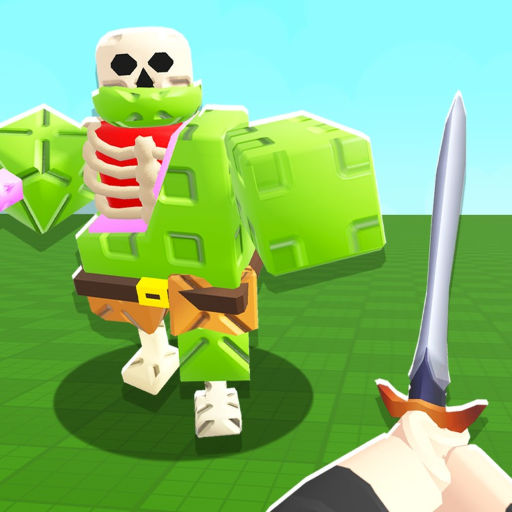
Use this Official Links Hub to reach Fight Your Zombie and Simple Bricks Zombies resources without phishing clones. Fight Your Zombie is a Roblox incremental simulator released 21 January 2026 — brains in tanks, feed your zombie, fight for coins, upgrade, prestige into Void. This fan wiki mirrors mechanics in Guides and Updates; only the links below are developer-owned surfaces.
Play Fight Your Zombie (Roblox)
Official experience: Fight Your Zombie on Roblox
Launch from that URL or search the exact title in the Roblox app. Bookmark it instead of ad-heavy landing pages that bundle fake codes from Hunty Zombie.
Universe ID for asset tools: 9599630721 (see site.meta.json roblox block for wiki scripts).
Simple Bricks Zombies Roblox group
Community group: Simple Bricks Zombies on Roblox
Join for milestone announcements, possible future code drops, and event gifts. Group membership is free. When Simple Bricks Zombies posts codes, we list them on Codes Hub the same day after verification.
Discord and social links
Discord invite URLs rotate and expire. The only authoritative path each session:
- Open the Roblox game page.
- Scroll the experience description to Social Links (below play button area on web).
- Click the listed Discord entry — do not use search results or comment-section invites.
- Verify the server name matches Simple Bricks Zombies branding before reading #announcements.
- Enable notifications for update and event channels if offered.
Saturday ~3PM GMT update and Admin Abuse posts often land on Discord before this wiki updates — cross-check Changelog afterward.
Twitter/X: @SimpleBricksRBX (confirm still linked on Social Links; names can change).
Never: join servers from “free codes” videos, executor ads, or Hunty Zombie reposts — see Fake Codes.
What is not official
- This wiki (fightyourzombie.wiki) — fan-made guides, tier lists, and tools
- Third-party code sites copying Hunty Zombie lists
- Script executors and “auto redeem” tools (Scripts Safety)
- YouTube videos with non-matching Roblox place IDs
We label fan content clearly so you can separate tips from developer announcements.
Wiki resources (fan-made, maintained)
| Topic | Page |
|---|---|
| Beginner loop | Getting Started |
| Code status | Codes Hub — none active yet |
| Patches / 2x luck | Updates Hub, Changelog, Events 2x Luck |
| Game passes | Game Passes |
| Offline math | Offline Planner |
| Account safety | Scripts Safety |
Reporting fake links
If you find a phishing clone mimicking Simple Bricks Zombies:
- Report the Roblox experience or website through official channels
- Warn others on the real Discord once you verify the fake URL
- Do not download “fixes” from strangers
Related pages
- Codes Hub — promo status (currently none)
- How to Redeem — for when UI ships
- Updates Hub — patch notes
- Guides Hub — mechanics
Bookmark the Roblox game page and group. Everything else on this wiki helps you play better — it is not a substitute for developer support tickets.
Frequently Asked Questions
Quick answers to the most common questions.
What is the official Fight Your Zombie Roblox link?
https://www.roblox.com/games/92683694220101/Fight-Your-Zombie
Where is the Discord server?
Use Social Links on the Roblox game description page for the current invite.
Is this wiki official?
No. It is a fan resource. Official news comes from Roblox game page, group, and social links.
What is the Simple Bricks Zombies group URL?
https://www.roblox.com/communities/396072016/Simple-Bricks-Zombies
Will codes be posted on the group?
Likely yes when redemption launches. We mirror verified codes on the Codes hub.