
Fight Your Zombie Scripts Overview
Feature types players search for — and the account risks that come with them.
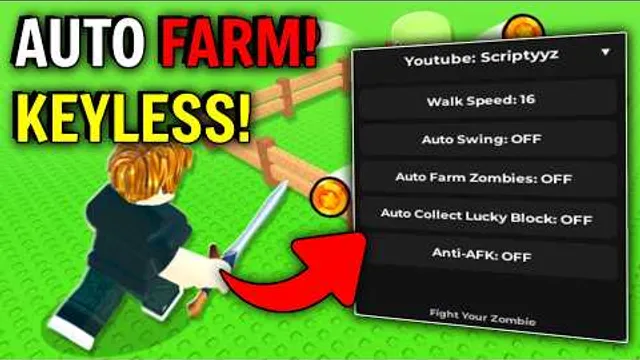
Third-party scripts and executors circulate around every popular Roblox simulator, and Fight Your Zombie by Simple Bricks Zombies is no exception. Players hunt automation for the core loop — brain tanks, feeding, fighting for coins, machines, and prestige — hoping a script replaces grinding. This hub describes feature types commonly advertised for Fight Your Zombie, explains why most violate Roblox Terms of Use, and points to safer legitimate paths on this wiki.
We do not link to executors or host copy-paste scripts. Watch the embedded video for context on what players search for versus what the plot loop actually needs. Read Scripts Safety before running anything injected into your client.
Common script feature types
Community scripts for incremental zombie sims usually claim one or more of these modules:
Auto farm plot zombie
Automates collecting brains, feeding the zombie, and restarting fight cycles on your plot. Overlaps with in-game machines and the OP Auto Clicker pass (Game Passes) but runs without Robux. Detectable patterns risk moderation action.
Walking zombie / movement farms
Moves your character or camera to interact with NPCs, lucky block areas, or multi-plot events. Fight Your Zombie progression is plot-first — see Walking Zombies for why map scripts matter only during limited events announced on Updates. Most accounts should not need movement automation for core brains or coins.
Auto lucky block
Opens or rolls lucky blocks on a timer, sometimes during 2x luck. Saves clicks but ignores ROI timing — opening at normal odds wastes keys a patient player would hoard per How to Get Lucky Block.
Auto upgrade
Spends coins automatically on zombie, tank, weapon, or machine tiers. Dangerous without upgrade order logic — scripts often max weapons and stall income.
Kill aura / fight automation
Accelerates zombie fight phases by rapid clicking or hit detection. Competes with Super Sword pass damage but adds ban risk. Does not fix brain starvation.
Brain / shiny dupes
Claims infinite Rainbow brains or luck overrides. Always fake — rarity comes from tanks and 2x luck events. See Shiny Rainbow Brains.
Infinite yield / universal hubs
Generic menus bundling teleport, ESP, and remote spam. Highest malware and account theft rates — see Scripts Safety.
Feature comparison: scripts vs official tools
| Feature | Script claim | Legitimate alternative |
|---|---|---|
| Auto click fights | Kill aura / auto tap | OP Auto Clicker pass, Controls |
| Brain collection | Auto farm | Machines, Super Machine pass |
| Walking zombie farm | Pathfinding bot | Plot loop; events only per Walking Zombies guide |
| Lucky block open | Auto roll | Manual open during Events 2x Luck |
| Upgrade spend | Auto buy max | Upgrade Order, Upgrade Calculator |
| Codes | Auto redeem | No codes exist — Fake Codes |
Why scripts are popular here
Fight Your Zombie launched 21 January 2026 with a satisfying but repetitive loop. Offline brain growth helps, yet active fights and machine micromanagement still take time. Scripts promise 24/7 progress while you sleep. In practice, servers validate actions, anti-cheat evolves, and accounts get flagged.
Legitimate alternatives:
- Follow Upgrade Order and Machine tier list.
- Use OP Auto Clicker and Super Machine passes if Robux fits your budget.
- Play 2x luck events instead of auto-opening blocks at bad odds.
- Ignore fake codes — no redemption system exists.
Detection and enforcement
Roblox can restrict accounts that use executors. Symptoms include:
- Warnings or bans on the account or device
- Forced logout when injected DLLs are detected
- Rollback of suspicious gains after prestiging
Simple Bricks Zombies may add server checks in future changelog patches — especially after Saturday 3PM GMT updates. Treat any “undetected 2026” claim as marketing, not fact.
Malware and credential theft
“Free executor” downloads frequently bundle keyloggers or fake login pages — especially around code-search traffic from Hunty Zombie copycats. Never enter your Roblox password outside official apps. Never paste account cookies into Discord bots.
Better path for free and paid players
| Goal | Safer option |
|---|---|
| More brains | Brain Tanks + Offline Planner |
| Faster fights | Zombie upgrades, then OP Auto Clicker pass |
| Machine automation | In-game farms, synthesizers, Brain Melter |
| Luck spikes | Hoard blocks for Events 2x Luck |
| Endgame | Prestige and Void timing |
| Map content | Walking Zombies — events only |
Related pages
- Scripts Safety — deep risk guide
- Walking Zombies — plot vs map NPCs
- Codes Hub and Fake Codes — no codes; avoid code-finder executors
- Guides Hub — full legitimate progression
- Game Passes — supported Robux shortcuts
- Updates Hub and Changelog — post-patch script breakage
Scripts cannot prestige for you safely. Learn the plot loop once, use official tools, and keep your account.
Frequently Asked Questions
Quick answers to the most common questions.
Are Fight Your Zombie scripts safe?
No third-party executor is fully safe. They risk bans, malware, and account theft. Use in-game progression instead.
What script features do players search for?
Common ads include auto farm plot zombie, walking zombie, auto lucky block, auto upgrade, and kill aura fight bots.
Can scripts redeem codes?
No codes exist yet. Code scripts are pointless and often malicious.
Do game passes replace scripts?
Partially. OP Auto Clicker and Super Machine cover some automation legally with Robux.
Where is the safety guide?
Read Scripts Safety for account protection, malware signs, and reporting steps.